
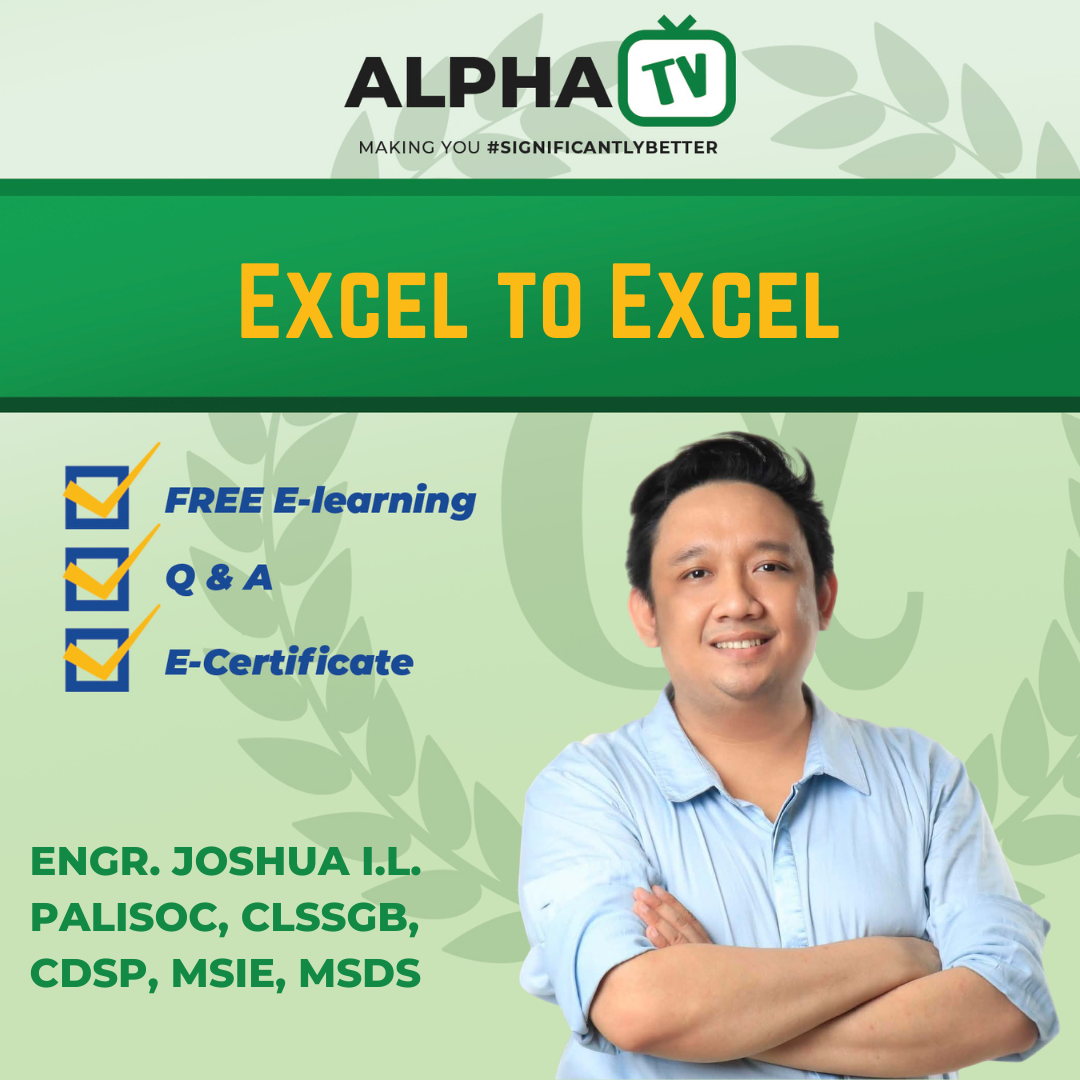
About the Course
Microsoft Excel remains one of the most powerful and widely used tools in modern business, data analytics, and operational management. However, many professionals spend hours on tedious, repetitive manual tasks simply because they are unaware of Excel's built-in shortcuts, dynamic formulas, and automated data cleaning capabilities.
This course bridges the gap between basic spreadsheet usage and advanced operational mastery. Through practical, hands-on techniques, participants will learn how to clean messy datasets in seconds, utilize mixed cell anchoring, master logic-driven lookup formulas, implement conditional quality controls, and incorporate visual trends directly within data tables to boost workplace efficiency.
Course Objective
- To master rapid data capturing, cleaning, and formatting techniques using Flash Fill, Go To Special, and Paste Special Operations
- To convert static datasets into dynamic Excel Tables with auto-expanding formulas, totals, and integrated chart ranges
- To apply mixed cell references (anchoring) and multi-criteria conditional logic (`SUMIFS`, `INDEX/MATCH`, `XLOOKUP`, `IFS`) for fast analytical reporting
- To implement data validation controls, error auditing, and in-cell visual tracking using Sparklines and custom Conditional Formatting
Course Outline
- Act 1: Data Capturing & Rapid Cleaning Techniques- Automating text parsing and pattern splitting with Flash Fill (`Ctrl + E`)
- Handling missing data gaps using Go To Special Blanks (`Ctrl + G`) and `Ctrl + Enter`
- In-place mathematical conversions without formulas using Paste Special Operations (`Ctrl + Alt + V`)
- Creating dynamic auto-expanding Excel Tables (`Ctrl + T`) and Data Validation drop-downs
- Act 2: Advanced Formulas for Operational Analytics- Mastering mixed cell anchoring (locking rows vs. columns with `$`) for multi-dimensional calculations
- Multi-criteria aggregation using `SUMIFS` and `COUNTIFS`
- Two-way matrix lookups using `INDEX` & `MATCH` and modern `XLOOKUP` functions
- Classification analysis (ABC Inventory Analysis) using nested `IF` and `IFS` logic
- Act 3: Data Visualization & Process Control- High-efficiency filtering, sorting, and dynamic data arrays
- Highlighting out-of-control metrics using custom `OR` Conditional Formatting rules
- Visualizing micro-trends within table rows using cell-sized Sparklines
- Act 4: What-If Analysis & Decision Modeling (Overview)- Introduction to Goal Seek, Data Tables, and Linear Programming via Solver
- Basic predictive modeling using Forecast Sheets and Monte Carlo simulation concepts
Target Participants
This course is designed for:
- Industrial engineers, process analysts, and business transformation specialists
- Data analysts, BI developers, and financial controllers handling large operational datasets
- Operations managers, administrative leads, and supervisors seeking to streamline reporting
- Students and professionals aiming to elevate their Excel proficiency for career advancement
Certificate Requirements
- Completion of recorded webinar + quiz
- Pass the 10-item multiple choice with 80% mark
- Comment your feedback on the main page of the course
What is an LMS?
An LMS (Learning Management System) is a software platform designed to manage, deliver, and track educational content and training programs online.
How does an LMS work?
An LMS provides a centralized platform for creating, delivering, and managing learning materials. It offers features like course creation, assessments, communication tools, and progress tracking.
Who can use the LMS?
Our LMS is designed for a wide range of users, including educators, students, trainers, HR professionals, and corporate users seeking to deliver and manage training and educational content.
How do I access courses on the LMS?
After logging in, you'll see a list of available courses on your dashboard. Click on a course to access its content, including modules, videos, assignments, and quizzes.
Can I take courses on any device?
Yes, our LMS is responsive and works on various devices, including desktops, laptops, tablets, and smartphones.
How do I enroll in a course?
If you're a student, your courses might be assigned by an instructor. If you're a corporate user, courses can be assigned by your administrator. Simply click on the course to enroll.
How are assessments conducted?
Assessments can include quizzes, assignments, and exams. You'll find instructions within each course on how to complete them.
How do I track my progress?
Your progress is automatically tracked as you complete modules, quizzes, and assignments. You can view your progress on your dashboard or course page.
I'm having trouble accessing the platform. What should I do?
If you're experiencing technical difficulties, please reach out to our support team at asklexnow@gmail.com or send a ticket through our support form
What if I forget my password or username?
You can use the "Forgot Password" option on the login page to reset your password. If you've forgotten your username, contact our support team for assistance.
Is my personal information safe on the LMS?
We take your privacy seriously. Your personal information is securely stored and used only for educational and administrative purposes in accordance with our privacy policy.
Are my course progress and grades kept private?
Yes, your course progress and grades are confidential and can only be viewed by you, your instructors, and administrators as needed.

AM

CC

JA